


Last week Ambaum, a Shopify Premier Partner, was on the floor at SEMA 2026 in Las Vegas, talking e-commerce with automotive aftermarket brands. AI dominated the conversation. What we heard fell into three buckets: AI in the platform, AI in the apps, and AI in the company.
Below is what each one looked like on the show floor, what Shopify's own documentation says about the pieces that came up, and a checklist for the week after the show. For the Shopify background, start with our Fall '26 Editions recap and the follow-up for auto and parts brands. We also covered SEMA 2025, when Shopify had its first official booth.

SEMA 2026 at a glance
The 2026 SEMA Show ran November 3 to 6 at the Las Vegas Convention Center. SEMA says it filled more than 1.1 million net square feet of indoor exhibit space with more than 2,200 brands, including more than 400 exhibiting for the first time. For the market numbers behind the show, see our SEMA 2026 Market Report takeaways.
The show sprawls across the convention center's four main halls (North, South, Central, and West) plus a large outdoor area. We walked the floor and talked with aftermarket companies about e-commerce and all things AI.

The Ambaum team at the SEMA Show sign, Las Vegas Convention Center.
Shopify's booth: the racecar was the draw
Shopify had a booth again this year, and the big draw was Shopify CEO Tobi Lütke's racecar. The booth carried Shopify's automotive branding, "Your commerce engine," and the car on display was TDS Racing's No. 11 ORECA 07 LMP2 prototype in Shopify's green livery. Lütke is one of the team's drivers for the 2026 IMSA season.
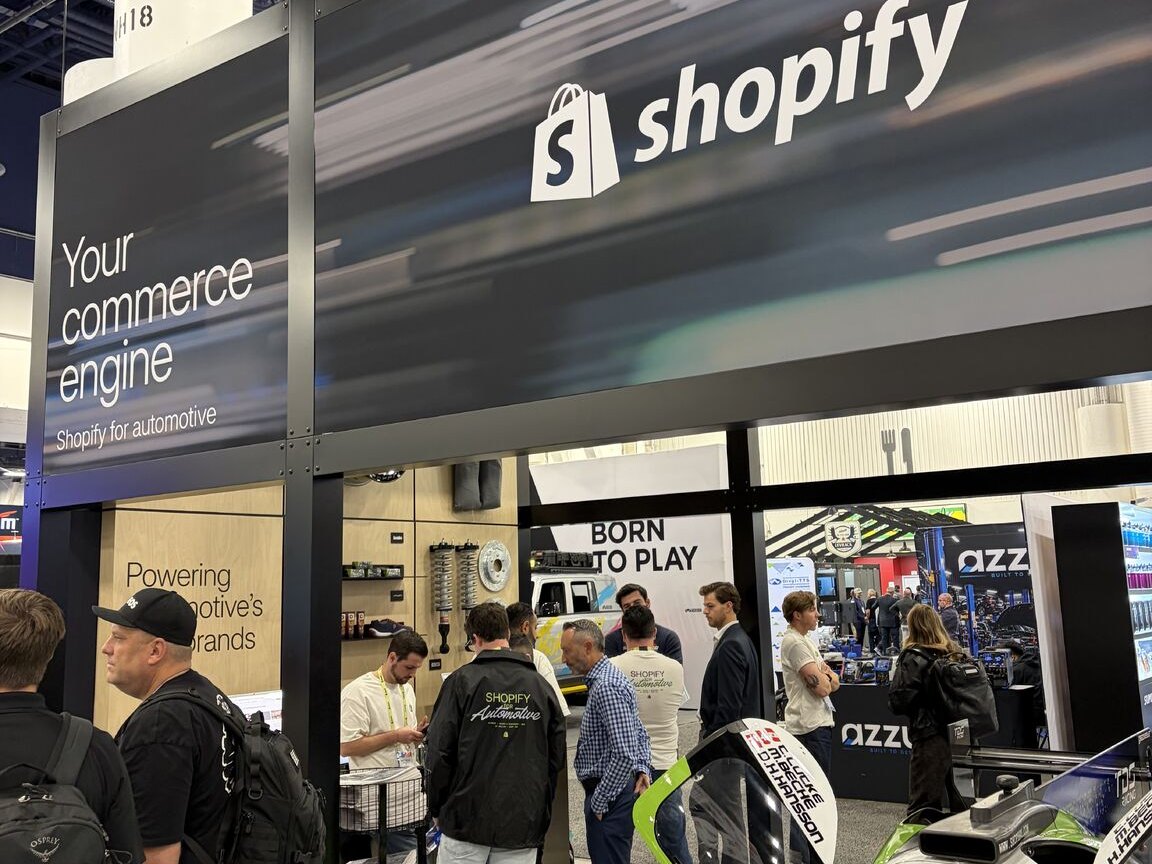
Shopify's booth at SEMA 2026: Shopify for automotive, Your commerce engine.
The Wynn happy hour
The highlight of our week was our happy hour at the Wynn. We had a great chat with Ryan from Combat Off Road, as well as the team from Flated. Congratulations to Flated on winning two SEMA New Product Awards, for the RIV MR52 AirTopper and the Mini Mid-Rise Air-Topper Display.
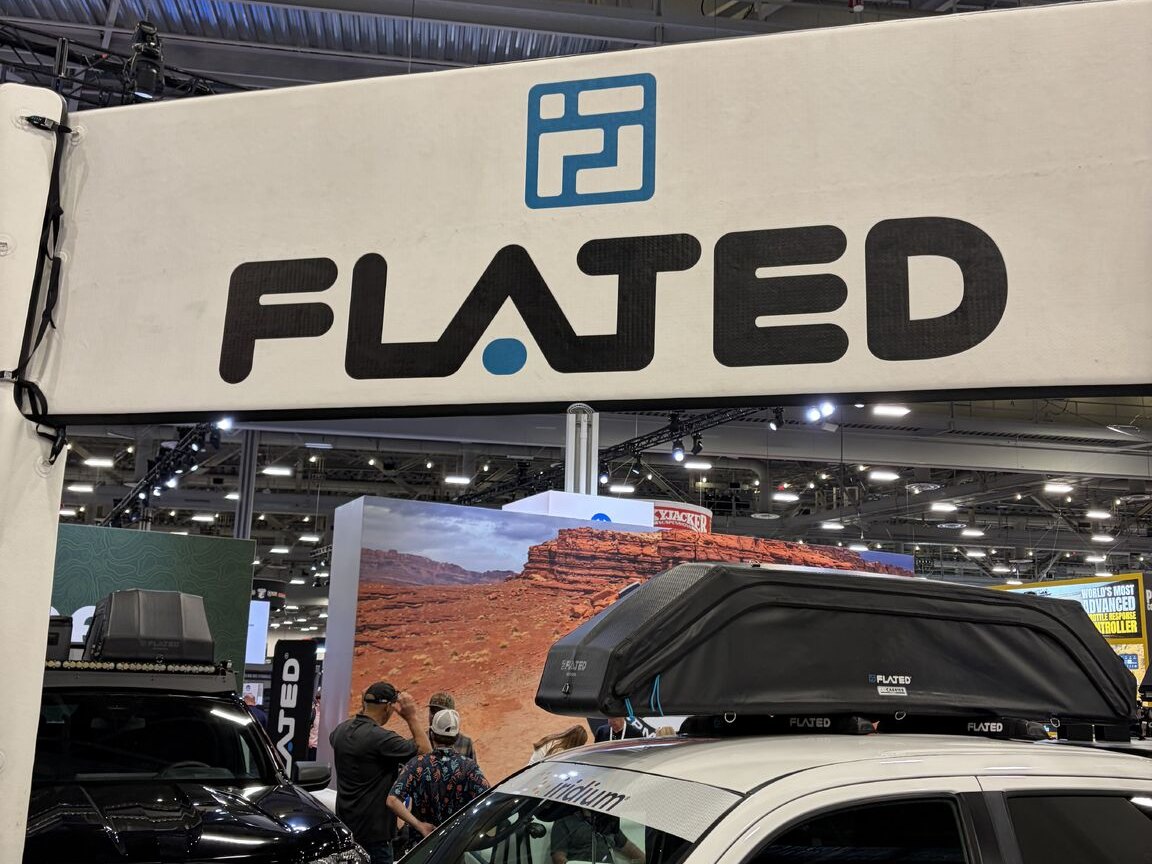
Flated's booth on the SEMA 2026 show floor.
1. AI in the platform: Sidekick and Shopify Catalog
The first conversation was about what Shopify has already built in. Sidekick came up as a big winner, mostly for how easy it makes updating a site and building small apps. Shopify Catalog came up too, and many brands told us they are spot checking AI models to make sure their products are surfacing.
What Shopify says Sidekick can do
Per Shopify Help, Sidekick is Shopify's AI-powered commerce assistant. It works with your store's data and presents changes for your review before applying them. For multi-step tasks it plans the steps, and it can build Shopify Flow workflows for repeated work.
Sidekick can also generate custom apps. Describe the tool you want, review and refine the generated app in the app editor, then install it. Shopify's limits are worth reading before you build anything:
- Generated apps work only inside the Shopify admin. They cannot touch your theme, checkout, or customer accounts, and customers never see them.
- They can only use your Admin API data: orders, products, customers, discounts, content (such as metaobjects and files), and analytics.
- Staff need the App development › Develop permission, and generation works from a desktop browser on the Basic, Grow, Advanced, and Shopify Plus plans.
- Shopify warns that generated apps can change customer-facing data, so test before you install.
For a parts store, think internal tools rather than storefront features. Two admin-only jobs that fit: a report that lists products with no year, make, or model in the description, and a view of return reasons by SKU. Those are our examples, not Shopify's.
What Shopify Catalog does
Shopify Catalog is a structured source of product information gathered from eligible products sold on Shopify. AI platforms and shopping sites use it to search and understand titles, descriptions, images, pricing, options, and availability. If your store and products meet the requirements, they are included automatically.
Here is the part that matters for the spot checks brands are running: Shopify Help says being in Catalog does not guarantee a product will appear in a specific AI answer or rank in a specific position. Each AI channel controls its own ranking, wording, and shopping experience. Treat any single test as a snapshot.
Shopify's guidance for improving your odds is plain. Keep your title, description, images, product organization (type, vendor, collections, tags), barcode, and variant option names clear and complete. Keep store policies current. Use the knowledge base for non-product facts agents may quote. For parts, that also means putting year, make, model, and exclusions in text agents can read, as we covered in our fitment data post.
How to run the spot check
- In your admin, go to Sales channels › Agentic and use the search preview tool. Enter a shopper-style query for a best seller, such as "front brake pads for a 2019 Ram 1500." Shopify calls the preview a directional signal, not an exact prediction.
- In an AI assistant, shop for the same product without naming your store. Then ask why it picked the store it did. If it was not yours, give it your web address and ask what it could not confirm.
- Repeat in at least two assistants and write down the results. Answers vary from run to run.
The full test, with fixes, is in our post on testing your store with an AI shopping agent.
2. AI in the apps: buy the app or build the function
The second conversation was about third-party apps. Flated talked about an AI chat app that bakes AI into the shopping experience, but questioned the value for the price. Their question was whether they could build that functionality themselves with AI, tailored to their own business.
It is the right question. Answer it with a short list before you renew anything:
- What job does the app do, in one sentence, and what does it cost at your order volume?
- What does it read, and what will it say about your products, returns, and fitment?
- Could Sidekick, Shopify Flow, or a small custom app do the same job?
- Does it connect to Sidekick? Shopify lets apps expose their data and actions to Sidekick through app extensions, and Sidekick currently supports integrations with up to 20 apps for each user on a store.
- How do you get out? Check data export and a clean uninstall before you commit.
"Build" can mean different things. A Sidekick-generated app is an admin tool for your team, not a storefront chat widget. Customer-facing features still need an app or custom development. Match the option to where the feature has to live.
3. AI in the company: where you are on the ladder
This was the most interesting conversation, and we kept having it. Every company we talked to uses AI internally, but how they use it varies a lot. Some are using AI apps on their phones for simple queries and to solve easy business problems. Others are starting to look into agentic workflows to tackle manual processes and free up employee time for more strategic thinking.
Here is how we frame the ladder:
- Ask. Phone or desktop AI apps for quick questions and drafts.
- Repeat. Saved instructions and preferences so you stop re-explaining the same task. Sidekick lets you save skills and learns your preferences.
- Automate. Workflows that run on a trigger, such as Shopify Flow, which Sidekick can help you build.
- Delegate. Agentic workflows that carry a multi-step process, with a person approving the result.
For aftermarket teams, the manual processes worth looking at first are usually the ones that repeat every week: cleaning supplier feeds, rewriting product copy at scale (see our post on agentic product rewrites), triaging returns, and answering the same fitment questions. Start with one process, one owner, and a review step.
What to do this week
- Run the spot check on your top three products, in the search preview tool and in two AI assistants. Save the results.
- Fix product text first: titles, descriptions, year, make, model, exclusions, barcodes, and variant options.
- Review your policies and your knowledge base (Sales channels › Agentic, then Knowledge Base under Sources). State rules in numbers: freight, delivery times, cancellation and core return windows.
- Try one low-risk Sidekick task and review the result before you apply it. A product copy update or a draft Flow workflow is a good start.
- List every AI app you pay for, what it costs, and the job it does. Mark any you could replace with Sidekick, Flow, or a small build.
- Write down your internal AI rules: what data can go into consumer AI apps, and who approves any automated action.
- Pick one manual process to automate this quarter and name an owner.
Why we go to SEMA
SEMA is a great conference for Ambaum. We catch up with existing clients, meet new prospects, and learn from everyone at the show. If your team is ready to move up the ladder, explore our AI Enablement services. If you want to talk about AI in your platform, your apps, or your company, reach out.
No pitch. No pressure. Just perspective.
Sources
- SEMA: 2026 SEMA Show opening release (November 3, 2026) and the 2026 New Product Award winners release (November 3, 2026)
- Shopify Help: Sidekick, Generating apps with Sidekick, Shopify Catalog, Optimizing your products for AI platforms, Shopify agentic storefronts, Managing agentic storefronts
- Shopify developer docs: Sidekick app extensions
- GT Report: TDS Racing reveals Shopify livery for 2026 (January 15, 2026)
- IMSA: TDS Racing Reveals Refreshed LMP2 Lineup (November 4, 2025)
- Comments from brands at the show come from our own conversations on the floor.
Read the full transcript
Last week, Ambaum was at SEMA in Las Vegas. Here is what automotive aftermarket brands told us about e-commerce and AI. The show sprawled across the Las Vegas Convention Center, four main halls, North, South, Central, and West, plus a big outdoor area. We walked the floor and talked with aftermarket brands about e-commerce and all things AI. Shopify had a booth again this year, and the big draw was the race car of Shopify's own CEO.
The highlight of our week was our happy hour at the Wynn. Great chat with Ryan from Combat Off Road and the team from Flated. Congratulations on your awards. AI dominated every e-commerce conversation. What brands were thinking about fell into three buckets: AI in the platform, AI in the apps, and AI in the company.
First, AI in the platform. Sidekick was a big winner. Brands love how easy it makes updating their site and building small apps. Shopify Catalog came up too. Many brands are checking AI models to make sure their products show up.
Second, AI in the apps. Flated told us about a chat app that bakes AI into the experience, but they questioned the value for the price. Their real question: could we build that functionality ourselves with AI, tailored to our business? Third, AI in the company. This was the most interesting conversation we kept having.
Every company we talked to uses AI internally, but how they use it varies a lot. Some just use AI apps on their phone for quick questions and easy problems. Others are building agentic workflows to take on manual processes and free up time for more strategic thinking. SEMA is a great conference for Ambaum. We catch up with clients, meet new prospects, and learn from everyone at the show.
Want to talk about AI in your platform, your apps, or your company? Reach out to Ambaum.
